Run a contracting, freelance, or gig business? Try Roadfolio·Mileage, invoices, expenses & AI voice assistant in one app·iOS & Android
Recommends/Computers/Windows

Windows

Docks, drives and accessories for a Windows machine, and how to tell whether it needs replacing or just speeding up.

As an Amazon Associate I earn from qualifying purchases. If you buy something through a link on this page, I may get a small commission at no extra cost to you. It does not change what I recommend and it does not change your price.

How to pick

Before buying anything, work out whether your machine is old or just clogged. A computer that was quick two years ago and crawls now is usually not worn out, and the single biggest fix is swapping a spinning hard drive for a solid state one, which costs a fraction of a new machine and makes it feel new. Add memory if it has 8GB or less. If you are buying new, the things that matter in order are: a solid state drive, never a spinning one; 16GB of memory, because 8GB is already tight; and a screen you can actually stand looking at all day. Processor speed is far down that list for normal use. Ignore any laptop still sold with a mechanical hard drive, whatever else it claims.

What I recommend

$$$$The upgrade that saves an old machine

NVMe or SATA solid state drive

5 · my rating

If your computer takes minutes to become usable, this is almost certainly why. Swapping the old spinning drive for a solid state one is the difference between waiting and not waiting, and it costs far less than replacing the machine. Check whether yours takes an M.2 stick or a 2.5 inch drive before ordering.

What to look for
Impact
The upgrade people feel most
Check
M.2 stick or 2.5 inch drive
Size
1TB is the sensible default
Brands
Samsung, Western Digital, Crucial
View on Amazon →
$$$$Cheap and usually worth doing

Laptop or desktop memory upgrade

4.5 · my rating

If the machine has 8GB or less and slows down whenever you have a few things open, more memory helps. Look up your exact model to find what type it takes and whether it can even be changed, because a lot of thin laptops have it soldered in.

What to look for
Worth it if
You have 8GB or less
Check first
Whether yours is soldered in
Type
Look up your exact model
Buy as
A matched pair where possible
View on Amazon →
$$$$For a laptop that lives on a desk

USB-C docking station

4.5 · my rating

One cable to the laptop gives you the monitor, keyboard, mouse, network and charging all at once. If you plug and unplug four things every time you sit down, this fixes that. Check your laptop supports video over its USB-C port, because not all do.

What to look for
Gives back
Monitor, keyboard, network, power
Check
Your laptop does video over USB-C
Cables
One to the laptop
Brands
Anker, UGREEN, Dell
View on Amazon →
$$$$If you are buying new

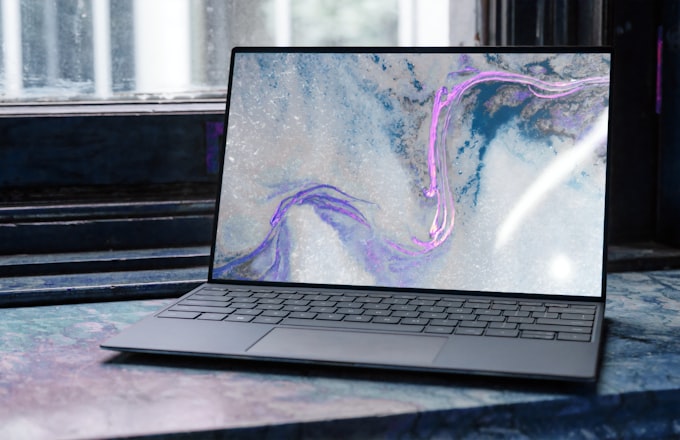
Windows laptop

4 · my rating

The things that matter, in order: a solid state drive rather than a spinning one, 16GB of memory rather than 8, and a screen you can stand looking at all day. Processor model matters far less than people think for normal use. Avoid anything still sold with a mechanical hard drive.

What to look for
Must have
Solid state drive, never spinning
Memory
16GB, not 8
Screen
One you can look at all day
Matters less
Processor model
View on Amazon →

Related reading

Not sure if it is worth upgrading?

Send me the model and I will tell you honestly whether to spend the money on it or put it toward a new one.